Binary O'Clock
There are only 10 types of people in this world: those who understand binary, and those who don’t.
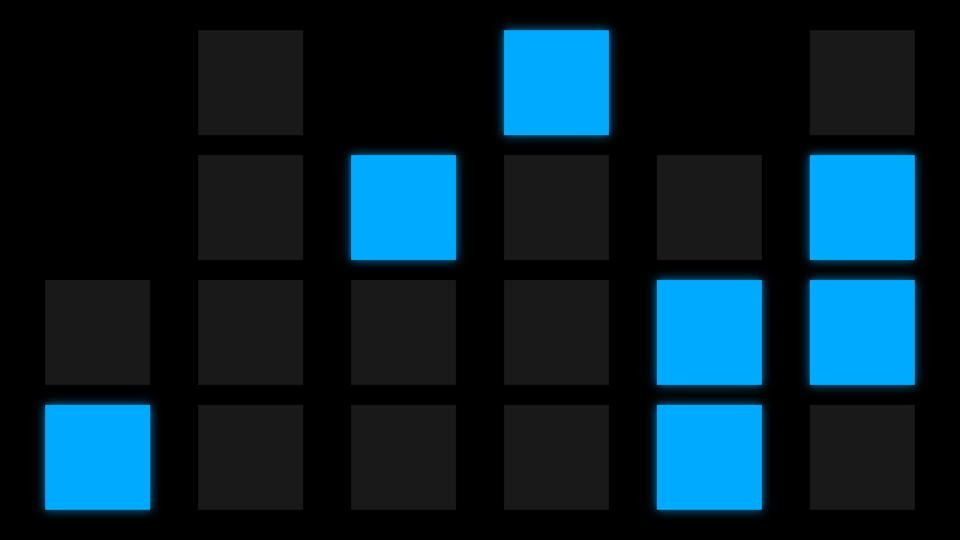
Binary O’Clock turns your TV into a wall of glowing blue lights that tells the time (hours, minutes and seconds) in binary. I made the first version back in 2016, and it’s been quietly ticking away ever since. Version 2.0 is a complete rewrite in SwiftUI that looks exactly the way it always has.
Reading it#
Each column is one digit of the time: HH MM SS. Read a column from the bottom up. The lights are worth 1, 2, 4 and 8, so add up the ones that are lit and you have the digit. Some columns are shorter because they never need the bigger numbers: the first hour digit never goes above 2, and the first minute and second digits never go above 5.
The clock above says 10:48:36:
| H | H | M | M | S | S | |
|---|---|---|---|---|---|---|
| 8 | ○ | ● | ○ | |||
| 4 | ○ | ● | ○ | ○ | ● | |
| 2 | ○ | ○ | ○ | ○ | ● | ● |
| 1 | ● | ○ | ○ | ○ | ● | ○ |
| = | 1 | 0 | 4 | 8 | 3 | 6 |
It’s the same time as on the app icon, and has been since 2016.
What’s here#
A full-screen 24-hour clock with hours, minutes and seconds
Ticks exactly on the second
Keeps the screen saver away for as long as it’s showing
Sharp on 4K TVs
Privacy#
Binary O’Clock collects nothing. It has no analytics, tracking, advertising identifier or account.
It doesn’t connect to the internet. All it does is read the time from the Apple TV it’s running on.
Support#
Mail support@backslashed.se and I’ll get back to you.
It helps to know which Apple TV model and tvOS version you have, and what the clock showed compared with the actual time.